

Address:
30211 Avenida de las Banderas Ste. 200
Rancho Santa Margarita, CA 92688
Business Continuity & Operational Resilience
Protect Your Data. Recover Your Systems. Keep Operations Moving.
Panoply helps organizations protect critical business data, recover systems and applications, and maintain operations when disruptions occur. Through local and cloud backup, rapid recovery, and protection against cyber threats, we help minimize downtime and keep businesses operating.
Operational Resilience Starts Before Disruption.
Maintaining business continuity requires more than backup. It takes a coordinated approach to protecting critical data, monitoring systems, and having recovery capabilities ready when needed. Panoply brings these capabilities together to help organizations minimize disruption and keep essential operations running.
MANAGED BACKUP & OPERATIONAL CONTINUITY
Protect Critical Data. Maintain Operations During a Disaster.
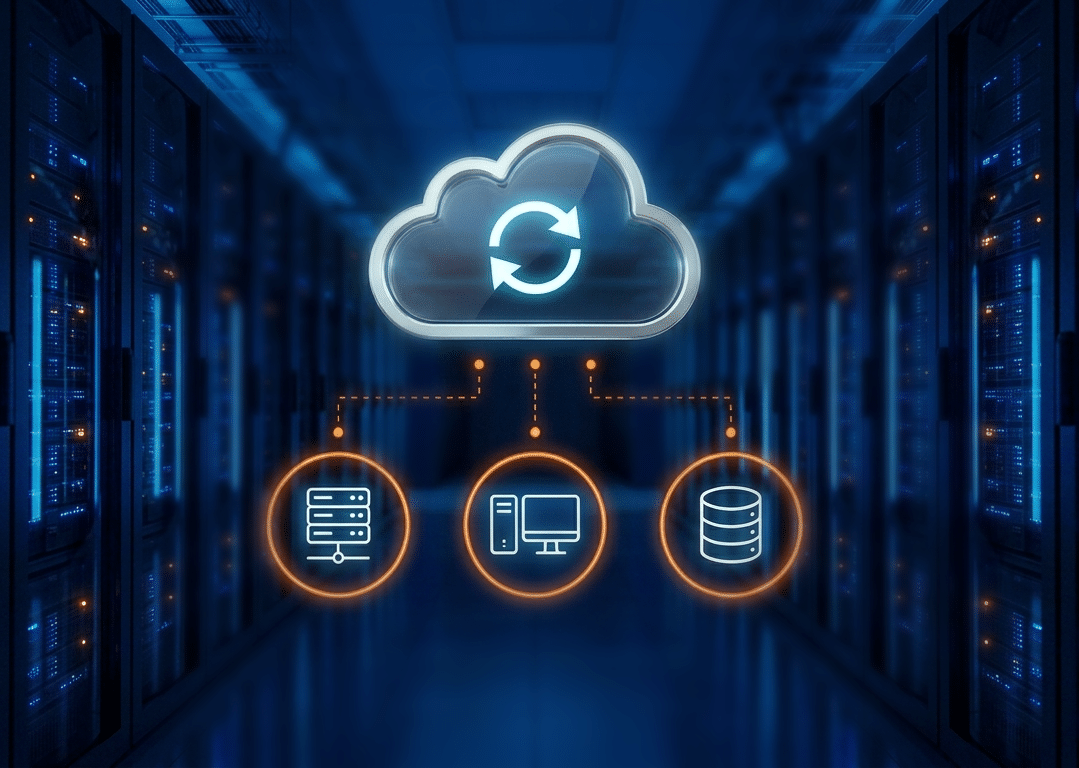
Protecting business data requires more than creating backups. Panoply delivers managed backup monitoring, local and cloud protection, and recovery capabilities to help organizations safeguard critical data, rapidly restore servers, workstations, and applications, and spin up affected servers so essential business operations can continue during a disaster.
24/7 Managed Backup Monitoring
Our NOC continuously monitors backup operations, verifies backup integrity, identifies issues, and works to resolve problems to ensure your data is protected, and systems are ready.
Local Backup & Rapid Recovery
Critical servers and workstations are protected with local backup and rapid recovery capabilities, allowing you to quickly restore systems and get users back online with minimal downtime.
Secure Cloud Backup & Replication
Your data is securely replicated to the cloud, providing an off-site copy protected from local disasters, cyberattacks, and other disruptions, giving you continuity even if on-prem systems are unavailable.
Operational Continuity & Recovery Validation
Backups are regularly tested to ensure reliable recovery. We quickly restore affected systems, servers, and applications to minimize downtime and maintain business operations during a disaster.
BUSINESS IMPACT
Keep Your Business Moving When the Unexpected Happens.
Disruptions can happen at any time. Panoply helps reduce downtime, restore critical systems, and maintain business operations so your organization can keep moving forward.
Maintain Business Operations
Spin up affected servers and restore access to essential applications so your organization can continue operating during a disaster.
Restore Critical
Systems
Rebuild affected servers from the most recent verified recovery point and restore workstations and applications so users can get back to work quickly.
24/7 NOC Monitoring & Remediation
We monitor backup operations around the clock, identify failures, and address issues before they become recovery problems.
Recovery and Continuity Capabilities
Maintain Operations When Local Systems Fail.
When local infrastructure is unavailable due to a disaster, outage, or cyber incident, Panoply provides flexible recovery and continuity capabilities, including local + cloud or direct to cloud options to help you maintain access to critical systems and continue essential operations.
01. Local & Cloud Recovery
Multiple recovery options provide flexibility when infrastructure is unavailable.
02. Local or Cloud Continuity
Spin up affected servers locally or in the cloud to maintain access to critical systems and applications.
03. Recovery Flexibility
Recovery can be tailored to the disruption, from restoring individual systems to bringing critical server workloads online locally or in the cloud.
04. Managed BCDR Support
Monitoring, recovery validation, and technical support help keep recovery capabilities ready.
Keep Critical Systems Available While You Recover.
If a disaster takes your local infrastructure offline, your organization needs more than a backup copy. Panoply can spin up affected servers in the cloud, helping you maintain access to critical systems and applications while the local environment is restored. This reduces operational disruption and gives your business a path to continue functioning during a major incident.

LOCAL + CLOUD REDUNDANCY
How Local + Cloud Protection Keeps Your Business Operational
Your data is protected with both local and cloud recovery and continuity options, giving you the fastest recovery and the resilience to keep operations going.
Faster On-Site Recovery
Data is copied to a local device for rapid on-site recovery and continuity when a server fails.
Secure Cloud Protection
A second copy is securely stored in the cloud for added resilience.
Resilient by Design
If the local device is compromised or unavailable, cloud recovery and continuity keep your critical systems and data available.


Ransomware Recovery Without Paying the Ransom
If ransomware compromises your systems, Panoply can restore complete server and workstation images from a clean, validated recovery point, including operating systems, applications, configurations, and data. Rapid virtualization can bring critical systems back online while original hardware is restored or replaced.
Why Businesses Choose Panoply for Business Data Continuity
0
%

60% of small businesses close within 6 months of major data loss – continuity keeps you out of that statistic.
0
%
43% of backups fail when not actively monitored—our NOC team validates every backup and remediates failures.
0
%
Local and cloud-based recovery means faster uptime compared to on-premise-only solutions.
Direct-to-Cloud Backup with Cloud Continuity
Traditional backups often rely on clunky on-premise infrastructure that slows recovery and adds failure points. With Panoply’s direct-to-cloud approach, your data goes straight to secure cloud storage—bypassing unnecessary, outdated hardware and reducing risk.
Cloud continuity means you’re not just backing up files—you’re protecting your entire environment. If a server goes down, workloads can be spun up directly in the cloud, keeping your business running while local systems are restored.
24/7 NOC Oversight
Backups are continuously monitored by our NOC team. If a job fails, we don’t just alert you—we fix it. You’ll always have a valid restore point.
Rapid Recovery & Continuity
When downtime strikes, recovery is measured in minutes—not days. Continuity solutions restore your environment quickly, keeping operations seamless.
Benefits of Direct-to-Cloud with Continuity:
Local + Cloud Redundancy (Most Robust Option)
How Business Data Continuity Works
The fastest and most resilient protection comes from combining local backup with cloud storage. Your data is continuously copied to a local device for rapid recovery on-site, while a second copy is secured in the cloud for disaster resilience. If a server fails, systems can be spun up locally within minutes. If a local device is compromised or unavailable, the cloud copy ensures business continuity from anywhere.

Direct-to-Cloud Backup
For organizations that prefer a lighter footprint, we also offer direct-to-cloud backup—data goes straight from your servers to the cloud without a local appliance. This minimizes hardware requirements, but recovery time depends on your internet connection speed. While slightly slower to spin up than the local + cloud solution, it still provides reliable recovery and strong off-site protection.
24/7 NOC Oversight
Backups are continuously monitored by our NOC team. If a job fails, we don’t just alert you—we fix it. You’ll always have a valid restore point.
Rapid Recovery & Continuity
When downtime strikes, recovery is measured in minutes—not days. Continuity solutions restore your environment quickly, keeping operations seamless.


Business Outcomes You Can Count On
Peace of Mind
Never wonder if your backups worked. We validate them daily.
Minimized Downtime
Restore systems fast and avoid extended outages.
Regulatory Compliance
Meet HIPAA, GDPR, and other data protection mandates.
Reduced Overhead
Offload backup management to our team, freeing yours for work.
Who Needs This Service
If your organization relies on customer records, financial data, intellectual property, or compliance reporting, you cannot afford gaps in backup. Whether you’re a small business or a large enterprise, Business Data Continuity ensures your data is always secure, accessible, and recoverable.

Related Services
SaaS Backup & Recovery
Protect Microsoft 365, Google Workspace & more
PC Continuity & Backup
Endpoint protection with built-in continuity
Disaster Recovery Oversight
Managed DR planning, testing, and readiness

Talk To A Security Expert
Don't Let System Failures or Cyber Threats Cripple Your Operations.
Strengthen operational resilience with managed backup, rapid recovery, and business continuity capabilities that keep critical systems available and help you recover quickly.

Frequently Asked Questions
Business Continuity & Operational Resilience
Answers to common questions about managed backup, disaster recovery, image-based recovery, ransomware protection, and maintaining business operations during unexpected disruptions.
What Is Business Continuity and Disaster Recovery (BCDR)?
Business Continuity and Disaster Recovery (BCDR) combines the strategies and technologies organizations use to protect critical data, restore systems, and maintain essential business operations during an unexpected disruption. Panoply provides managed backup, local and cloud protection, image-based recovery, and 24/7 monitoring to help organizations minimize downtime and maintain operational resilience.
What Is the Difference Between Backup and Disaster Recovery?
Backup creates protected copies of business data and systems. Disaster recovery provides the capabilities to restore those systems, applications, and data after a failure, outage, or cyberattack. Panoply combines managed backup and recovery services to help organizations restore complete systems and resume essential operation
How Does Image-Based Backup and Recovery Work?
Image-based backup captures an entire system, including its operating system, applications, configurations, and data. This allows Panoply to restore complete servers and workstations rather than rebuilding systems from individual files. Supported configurations can also allow complete server images to be brought back online as virtual servers locally or in the cloud.
What Happens When a Business Server Fails?
A server failure can interrupt access to critical applications, data, and business services. With image-based backup and disaster recovery, Panoply can bring a failed server back online as a virtual server on a local recovery device or in the cloud, without waiting for the original hardware to be repaired or replaced.
Can a Business Recover From Ransomware Without Paying a Ransom?
Yes. Businesses with reliable backup and disaster recovery solutions can restore their systems and data from protected recovery points without paying a ransom. Panoply's image-based backup and disaster recovery capabilities can restore complete server and workstation images, including operating systems, applications, configurations, and data. This allows organizations to recover critical systems and resume operations without relying on attackers to restore access.
How Does Local and Cloud Backup Protection Work?
Local backup provides a nearby recovery source for faster restoration, while cloud backup maintains an additional off-site copy of critical data and systems. Panoply combines local backup and secure cloud replication to provide multiple recovery options. This helps organizations protect against hardware failures, disasters, and cyber incidents while supporting business continuity.
Take the Next Step
Don’t Let Data Loss End Your Business
Downtime and lost data cost businesses billions every year. With Panoply’s Business Data Continuity, you’ll know your backups are always verified, recoverable, and managed by experts who act before problems become disasters.